
How to Create a TCGPlayer Price Alert for Magic, Pokémon, Yu-Gi-Oh! and More (2026 Guide)
TCGPlayer does not have built-in price alerts, so if you want to know when a card or sealed product drops to your price you need a separate tool. This guide shows how to set up a TCGPlayer price alert with TCGPriceAlert in about a minute. It works for Magic: The Gathering, Pokémon, Yu-Gi-Oh!, Lorcana, One Piece and the other games sold on TCGPlayer, and the free plan is enough to follow along.
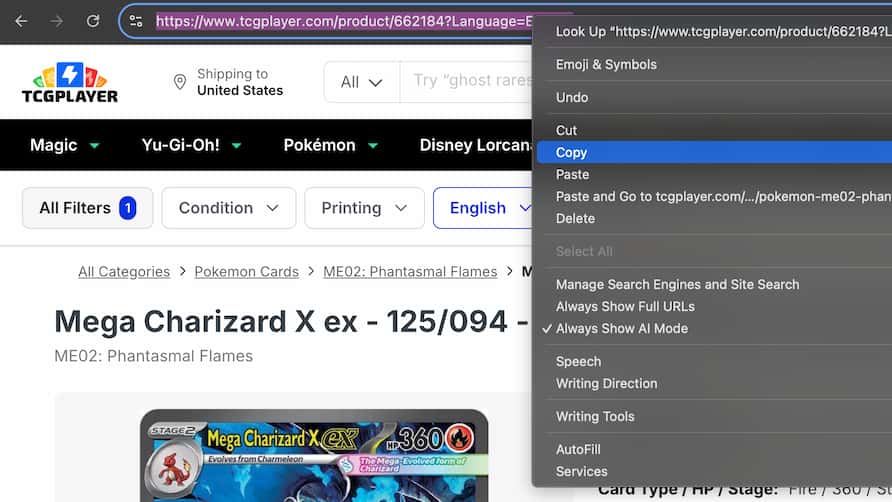
Step 1: Copy the Product URL from TCGPlayer
Open TCGPlayer.com and go to the page of the exact card or sealed product you want to track. Copy the URL from the address bar. If you use the Chrome extension, you can skip this step and create the alert straight from the product page.
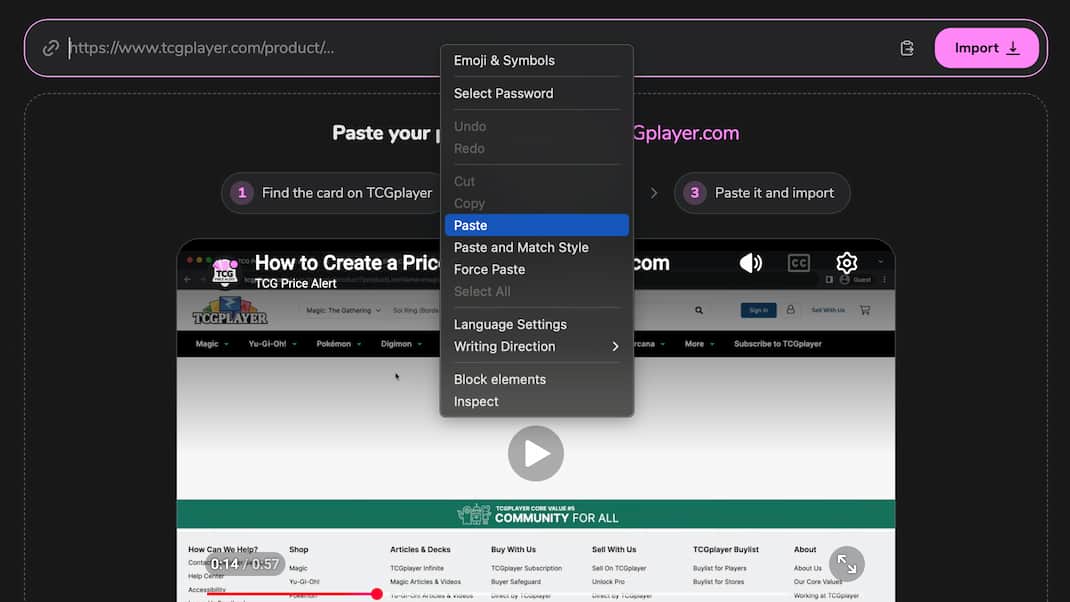
Step 2: Paste the URL into TCGPriceAlert
Go to TCGPriceAlert.com and paste the link. TCGPriceAlert loads the product and its live listings, so you can see the current lowest price before you set a target.
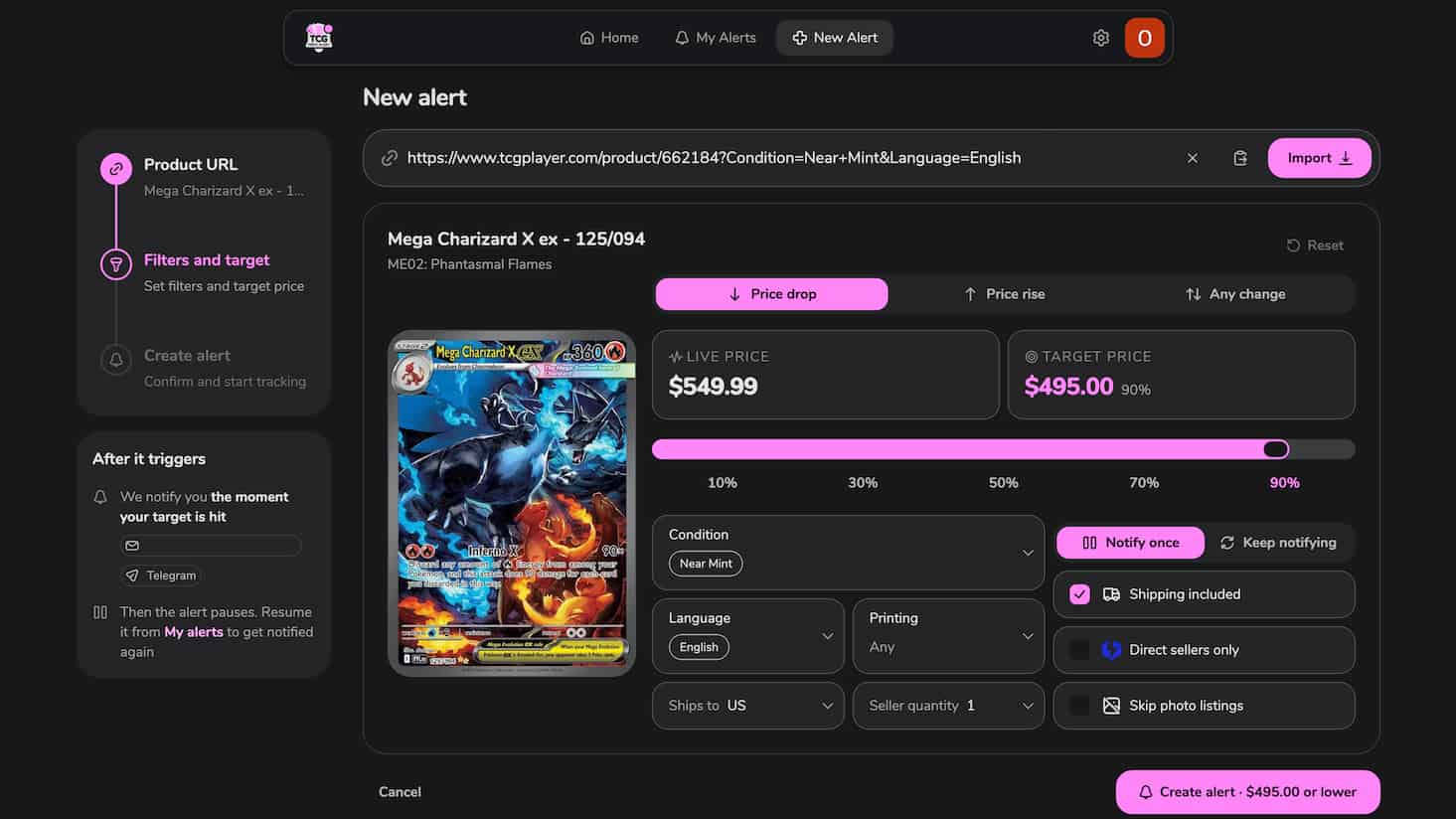
Step 3: Choose Your Filters, Alert Type and Target Price
Pick the alert type: price drop, price rise or any change. Set your target price, then choose which listings count: condition, language, printing, the country they ship to, the quantity you need, whether shipping is included, direct sellers only and whether to skip listings with seller photos. Only listings that match all of these can trigger the alert. You can also decide if it should notify you once or keep notifying you.
Step 4: Get Notified by Email or Telegram
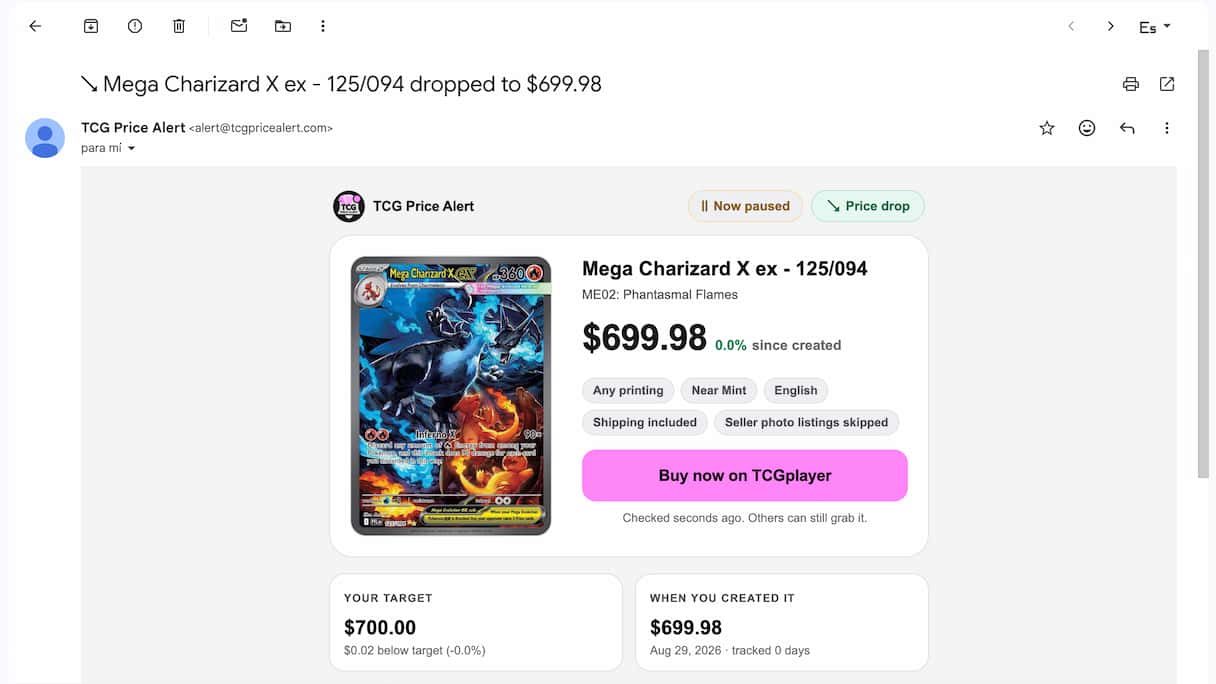
Save the alert and TCGPriceAlert keeps checking the live listings for you every few minutes. When a listing matches, you get an email or a Telegram message right away with the price, the filters it matched and a button to buy it on TCGPlayer.
Step 5: Manage Your Alerts
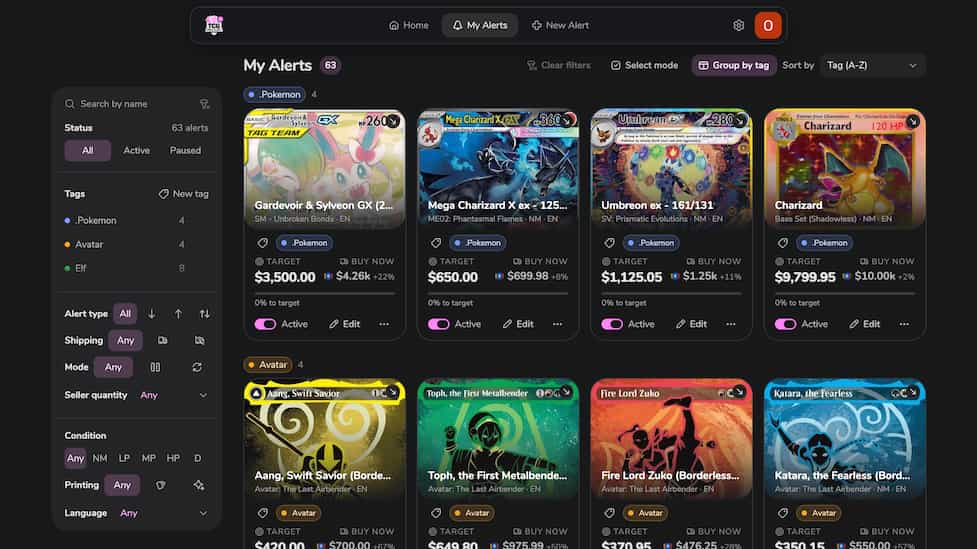
All your alerts live in My Alerts. You can see how far each one is from its target, edit or pause it, group alerts with tags and filter them by status, condition, printing and more.
Other TCGPlayer Alert Tools
TCGSniper also sends TCGPlayer price alerts (see our TCGPriceAlert vs TCGSniper comparison). TCGPriceAlert focuses on individual live listings with detailed filters, alerts by email or Telegram, a Chrome extension and a live feed of underpriced listings in Hot Deals. Learn more about TCGPlayer price alerts.
Video Tutorial
Prefer to watch? This one minute video shows how to create a price alert on TCGPriceAlert.com.
Frequently Asked Questions
Tip: Telegram notifications are free on every plan and usually reach your phone faster than email. Turn them on in your account settings on TCGPriceAlert.